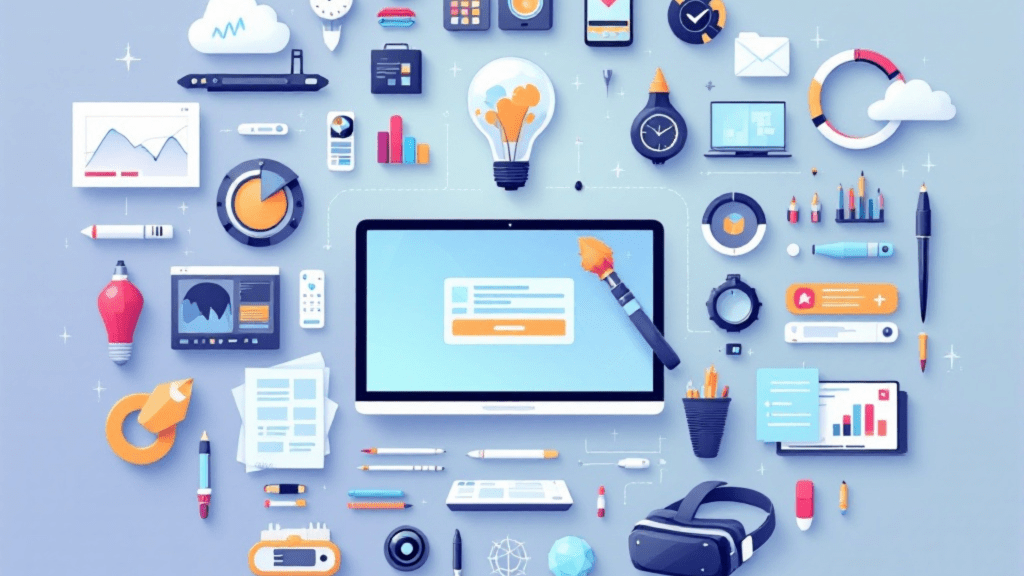
As we step into 2025, the landscape for artists has transformed immensely, largely driven by advancements in technology. The modern artist’s toolkit now encompasses a variety of technical skills and tools that are essential for navigating today’s digital art scene. Whether you’re a seasoned professional or an emerging creator, understanding these tools can significantly enhance your artistic journey.
Essential Digital Tools
Creation Software
Every artist needs reliable software to bring their visions to life. In 2025, some industry standards include:
- Photoshop and Procreate for digital painting and illustration.
- Illustrator for vector graphics, ensuring crisp lines and scalability.
- Blender and Maya for 3D modeling, allowing artists to create immersive environments.
- Krita and Clip Studio for specialized digital painting.
- After Effects for motion graphics, adding dynamism to your creations.
AI Integration Tools
Artificial intelligence is reshaping the way we create art. Key tools include:
- Generative AI platforms that can assist in creating unique designs.
- Style transfer tools to apply artistic styles to your work.
- Enhancement software for improving image quality.
- Collaboration aids that streamline teamwork.
- Process automation tools to save time on repetitive tasks.
Digital Workflow Essentials
File Management
Navigating digital files can be daunting. Here are some essentials:
- Use cloud storage systems for easy access and sharing.
- Implement version control to track changes and revisions.
- Organize assets methodically for easy retrieval.
- Establish reliable backup solutions to protect your work.
- Understand various file formatting for different outputs.
Project Management
Keeping projects on track is vital. Consider these tools:
- Timeline tracking helps you meet deadlines.
- Maintain clear client communication to manage expectations.
- Implement deadline management tools to stay organized.
- Allocate resources effectively for optimal productivity.
- Document progress to reflect on completed stages.
Social Media Management
Content Creation Tools
To thrive in the digital age, artists must leverage social media effectively:
- Utilize scheduling platforms to plan your posts.
- Employ analytics software to gauge engagement.
- Use design templates for consistent branding.
- Incorporate video editing tools to create dynamic content.
- Explore caption generation tools to enhance your messaging.
Engagement Tools
Building a community around your art is crucial:
- Manage your audience with community management tools.
- Track comments and messages for better engagement.
- Automate responses where appropriate to save time.
- Gain insights into your audience for tailored content.
- Measure performance metrics to refine your strategy.
Technical Requirements
Hardware Needs
Investing in the right hardware is essential:
- Drawing tablets provide a natural drawing experience.
- Ensure your computer has adequate processing power for heavy software.
- Have sufficient storage solutions to handle large files.
- Prioritize color accuracy and display quality for true-to-life representations.
Software Proficiency
Mastering software is non-negotiable:
- Familiarize yourself with core creation tools.
- Understand file management practices.
- Grasp the basics of color theory.
- Develop a solid digital workflow.
- Know various output formats for different uses.
Advanced Skills Development
Emerging Technologies
Stay ahead of the curve by exploring:
- AR/VR creation for immersive experiences.
- Advanced 3D modeling techniques.
- Motion graphics to add movement to your art.
- Interactive art to engage audiences in new ways.
- Digital sculpture for innovative three-dimensional creations.
Technical Understanding
Deepen your technical knowledge:
- Learn about color management for consistent results.
- Understand resolution standards for different media.
- Familiarize yourself with file formats for optimal output.
- Explore digital printing techniques.
- Optimize your work for the web.
Workflow Optimization
Time Management
Efficiency is key in today’s fast-paced environment:
- Implement task automation to streamline repetitive tasks.
- Use batch processing for similar tasks to save time.
- Create templates for recurring projects.
- Master keyboard shortcuts for faster navigation.
- Streamline your processes for maximum efficiency.
Quality Control
Maintain high standards with these practices:
- Regular color calibration ensures accuracy.
- Keep your files organized for easy access.
- Use version control to manage edits.
- Set up backup systems to safeguard your work.
- Always check outputs to maintain quality.
Professional Tools
Business Management
For artists running their own businesses, these tools are invaluable:
- Use invoicing software for efficient billing.
- Manage clients and projects with dedicated software.
- Track time accurately for better financial planning.
- Allocate resources wisely to maximize productivity.
Portfolio Platforms
Showcasing your work is essential:
- Build a professional website using website builders.
- Host your portfolio on platforms that offer social integration.
- Utilize analytics tools to track visitor engagement.
- Optimize for SEO to increase visibility.
Learning Resources
Skill Development
Continuous learning is vital for growth:
- Explore online courses to enhance your skills.
- Access tutorial libraries for hands-on learning.
- Participate in community forums for shared knowledge.
- Follow industry blogs to stay updated.
- Consult technical documentation for in-depth information.
Professional Growth
Invest in your career:
- Pursue industry certifications to validate your skills.
- Attend software training sessions for new tools.
- Join technical workshops for hands-on experience.
- Engage in peer learning for collaborative growth.
- Seek out mentorship programs for guidance.
Future-Proofing Skills
Emerging Technologies
Keep an eye on the horizon:
- Explore AI integration for smarter workflows.
- Understand the basics of VR/AR development.
- Familiarize yourself with blockchain and its implications.
- Dive into interactive media for engaging experiences.
- Learn about digital rights management to protect your work.
Continuous Learning
Stay ahead of the game:
- Keep up with industry trends.
- Stay informed about new software releases.
- Update your techniques regularly.
- Explore emerging platforms for new opportunities.
- Be aware of evolving technical standards.
Essential Skills Checklist
Core Competencies:
- Digital creation software
- File management
- Color theory
- Technical workflow
- Output preparation
Advanced Skills:
- AI tool integration
- 3D modeling
- Motion graphics
- Interactive elements
- Digital rights
Questions to Consider
- Which technical skills are most relevant to your art style?
- How do you stay updated with new tools and technologies?
- What emerging skills could enhance your work?
Pro Tips
- Focus on mastering core tools first.
- Build efficient workflows to save time.
- Stay updated with industry standards.
- Maintain organized systems for ease of access.
- Document your processes for future reference.
As we navigate this rapidly evolving technical landscape, artists must balance mastery of essential tools with adaptability to emerging technologies. What skills are you most interested in developing as we move through 2025?
If there’s a specific technical aspect you’d like to explore in more detail, feel free to reach out! Let’s embark on this exciting journey together.




Leave a Reply